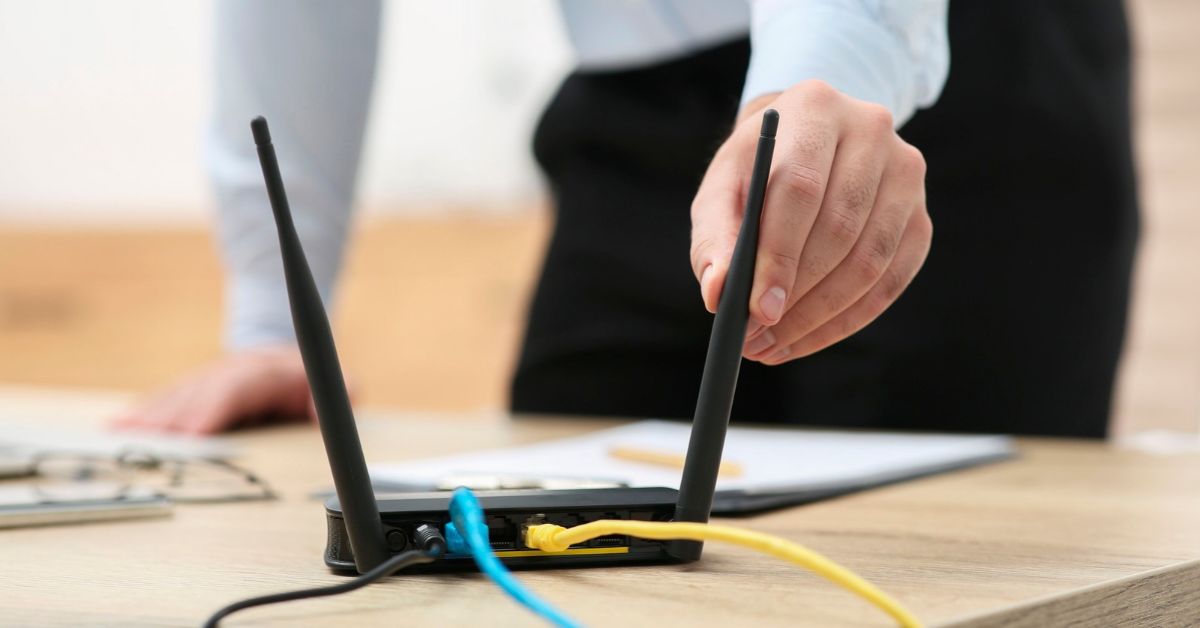

A mesh WiFi system uses multiple connected WiFi points to provide coverage across a home. Instead of relying on one router location to reach every room, mesh networking distributes WiFi through strategically positioned nodes that operate as one coordinated network.
For home-office users, this can help when the workspace is far from the main router, on another floor, or in an area where walls and property layout contribute to weak or inconsistent WiFi.

What Is A Mesh WiFi System?
A mesh WiFi system is a wireless network made up of multiple WiFi units that work together across a property.
One unit typically connects to the home’s internet or network equipment. Additional units, commonly called nodes or satellites, are positioned elsewhere to extend coverage while remaining part of the same broader network.
This reduces reliance on a single WiFi point. Distance, walls, floors, and other physical obstacles can weaken coverage from one router location. A home mesh WiFi system allows additional WiFi points to be positioned closer to areas where connectivity matters.
For a home office, that might be an upstairs study, converted bedroom or dedicated workspace located away from the main network equipment.
How Does Mesh WiFi Work?
The primary mesh unit connects the system to the wider home network. Additional nodes extend wireless coverage into other areas of the property.
Laptops, phones, and other wireless devices can access the same network from different locations without each mesh point functioning as a completely separate WiFi network.
Depending on the equipment and network design, mesh nodes may communicate wirelessly, through Ethernet cabling, or using a combination of both.
Node placement is critical. Each node needs a suitable connection to the rest of the network while being positioned to provide useful additional coverage.
Placing a node deep inside an existing WiFi dead zone may produce poor results if the node itself cannot maintain an effective connection. The goal is to create a reliable path between the network and the area requiring coverage.
More nodes do not automatically mean better WiFi. The appropriate number depends on the property, equipment, placement options, and coverage requirements.

What Problems Can Mesh WiFi Help Solve?
Mesh WiFi primarily addresses wireless coverage problems.
A router may provide strong WiFi nearby but struggle to reach other parts of a property. Distance, walls, floors, router location, and building layout can all affect coverage.
Mesh networking may be worth considering when:
- The home office is far from the existing router.
- WiFi becomes weak or inconsistent on another floor.
- One WiFi point cannot adequately cover a larger property.
- Multiple walls or other obstacles separate the workspace from the router.
- Connectivity changes noticeably when devices move around the home.
- Several important areas require dependable wireless coverage.
These problems matter more when the network supports daily work. Weak connectivity at a dedicated desk can disrupt video calls, cloud applications, and other online services.
The objective is not simply to make WiFi reach farther. It is to provide reliable coverage where connectivity is actually needed.
What Are The Main Benefits Of Mesh WiFi?
The main advantage of mesh WiFi is the ability to provide wireless coverage from multiple locations rather than expecting one router to cover the entire property.
Broader WiFi Coverage
Additional nodes can bring coverage closer to rooms that receive a weak signal from the main WiFi location.
This can be useful in larger homes, multi-level properties, and layouts where the home office is physically separated from the router.
More Consistent Coverage Across Important Areas
A mesh system reduces dependence on one central WiFi point by distributing coverage around the property.
For home-office users, this means coverage can be planned around important working areas rather than relying on whatever signal reaches the desk.
One Coordinated Wireless Network
Mesh nodes work together instead of operating as unrelated wireless networks.
This can make connectivity more convenient when laptops, phones, and other devices are used in different parts of the home.
Coverage Planned Around The Property
Mesh networking provides flexibility over where wireless coverage is delivered, but effective planning still matters.
The key questions are where reliable WiFi is required, what limits the existing network, and where nodes can be positioned effectively. Adding hardware without answering those questions can create complexity without resolving the problem.
What Mesh WiFi Cannot Fix
A mesh WiFi system is not a universal solution for slow or unreliable internet.
An important distinction is internet performance versus WiFi performance.
The internet connection provides connectivity to the property. The home network distributes it to individual devices, including over WiFi. Improving wireless coverage does not increase the underlying capability of the internet service.
Mesh WiFi will not automatically resolve:
- Problems with the internet connection entering the property.
- An internet service that cannot provide the required performance.
- Faulty or unsuitable network equipment.
- Poor network configuration.
- Wireless interference.
- Poorly positioned mesh nodes.
Walls, floors, distance, and property construction can also continue to affect wireless communication after mesh equipment is installed.
If connectivity is poor even when a device is close to the existing router, adding nodes elsewhere may address the wrong problem.
Identify the cause of the connectivity issue before deciding what equipment to buy.

Is Mesh WiFi Suitable For Every Home?
No. A mesh system should solve a defined network requirement rather than be treated as an automatic upgrade.
A smaller property with a suitably positioned router may already have reliable WiFi everywhere it is needed. Adding multiple nodes may offer little practical benefit.
Mesh becomes more relevant when one WiFi point cannot provide suitable coverage to important areas.
Consider:
- Property size and layout.
- Number of levels.
- Position of existing network equipment.
- Home-office location.
- Areas requiring reliable WiFi.
- Physical obstacles.
- Existing Ethernet cabling and network infrastructure.
- Devices and applications relying on the connection.
The network requirements should determine the technology, rather than choosing mesh first and trying to make it fit afterwards.
Mesh WiFi, Routers And WiFi Extenders Are Different Approaches
Mesh systems, conventional router setups, and WiFi extenders can all provide wireless connectivity, but they address coverage differently.
A conventional setup may rely primarily on WiFi from one router location. A mesh system distributes coverage through coordinated nodes. A WiFi extender uses another approach to extend coverage beyond the useful reach of an existing wireless signal.
None is automatically right for every home.
The appropriate option depends on the property, existing infrastructure, coverage requirements, and importance of network reliability. A detailed mesh WiFi vs router assessment or WiFi extender vs mesh network comparison is most useful once the underlying coverage requirement is clear.

What Should You Consider Before Installing Mesh WiFi?
Before buying mesh equipment, identify where connectivity is failing and why. This helps distinguish a genuine coverage problem from issues involving the internet service, equipment, or configuration.
Property Layout
Consider the distance between the main network equipment and areas requiring reliable WiFi.
Walls, floors, and property layout affect how wireless signals travel. Two similarly sized homes can therefore have very different networking requirements.
Home Office Location
A home office should be treated as an important network location rather than just another room requiring general coverage.
Consider where the workspace sits relative to the network equipment and whether it depends on sustained activities such as video meetings and cloud-based work.
Existing Network Infrastructure
Existing routers, Ethernet cabling, and other equipment can influence how a mesh system should be incorporated.
Reviewing the current environment first can also prevent unnecessary replacement of equipment that may still be useful.
Node Placement
A node needs to extend useful coverage while maintaining an effective connection to the wider mesh network.
This is why positioning a node directly at the point of weakest WiFi is not always the best approach. Placement needs to consider both sides of the connection.
The Source Of The Connectivity Problem
If WiFi works well near the router but poorly in the home office, coverage may be the issue.
If performance is poor throughout the property, including close to the network equipment, the cause may lie elsewhere.
Separating these situations before purchasing equipment can prevent repeated hardware changes that fail to address the underlying problem.

When A Broader Home Network Upgrade May Be Needed
Sometimes weak WiFi is only one symptom of a network that no longer suits how the home is being used.
The home office may have moved, more devices may depend on the network, or existing equipment may no longer suit current requirements. Years of incremental changes can also create unnecessary complexity.
In these situations, installing mesh WiFi alone may solve only part of the problem.
A broader home network upgrade can consider equipment location, wireless coverage, existing infrastructure, and workspace connectivity requirements together.
When Professional Home Network Planning Can Help
Weak coverage, internet service problems, equipment limitations, poor placement, and configuration issues can all appear to the user as “bad WiFi”. Buying hardware before identifying the cause can add cost and complexity without delivering the expected improvement.
Professional planning can be useful when:
- Reliable connectivity is important for working from home.
- The property has a difficult or multi-level layout.
- Previous DIY changes have not produced a reliable result.
- It is unclear whether mesh equipment is required.
- New equipment needs to integrate with an existing network.
- Several areas require dependable connectivity.
A planning-first approach identifies the network requirements before deciding what equipment should be purchased or changed.
For more complex environments, a Home Network Setup Service can assess the existing network and support the planning, configuration, and implementation of a setup suited to the property and home-office requirements.
Frequently Asked Questions About Mesh WiFi
These practical questions cover common points about mesh networking without assuming it is the right solution for every property.
Does Mesh WiFi Replace A Router?
A home network still requires routing functionality. Depending on the equipment and configuration, a mesh system may provide that function or operate alongside existing network equipment.
Does Mesh WiFi Make The Internet Faster?
Not inherently.
Mesh can improve coverage where a weak WiFi connection is limiting performance. It does not increase the speed or capacity of the internet service entering the property.
How Many Mesh Nodes Does A Home Need?
There is no standard number.
Property size, layout, construction, node placement, and required coverage all influence the appropriate design. Adding unnecessary nodes does not guarantee better performance.
Can Mesh WiFi Work In A Multi-Storey Home?
Yes. Effectiveness still depends on the property’s construction, node placement, and how well the nodes can communicate.
Can Mesh WiFi Use Ethernet?
Some mesh systems support Ethernet connections between compatible nodes. Whether this is useful depends on the equipment, available cabling, and network design.
Is Mesh WiFi Useful For A Home Office?
It can be when the workspace has weak or inconsistent WiFi because of its location relative to the existing network.
If the problem comes from the internet service, equipment, or configuration rather than coverage, mesh nodes may not resolve it.
Does Adding More Mesh Nodes Improve WiFi?
Not automatically.
Each node needs an appropriate location and effective network connection. The goal is the right number of correctly positioned nodes for the required coverage, not the maximum number of WiFi points.
Build A Home Network Around How You Work
If reliable home-office connectivity requires more than another WiFi device, professional network planning can help identify and implement the appropriate setup.