

IT support and computer repair can both resolve technology problems, but they usually operate at different levels.
Computer repair typically focuses on faults affecting an individual device. IT support can look beyond the device to the wider technology environment, including software, connectivity, peripherals, configuration, and compatibility.
For home-office users, this distinction matters. A problem that appears to come from a computer may actually originate from Wi-Fi, connected equipment, software, or configuration. Understanding the difference helps you choose the right assistance before repairing or replacing the wrong thing.

What Does Computer Repair Typically Cover?
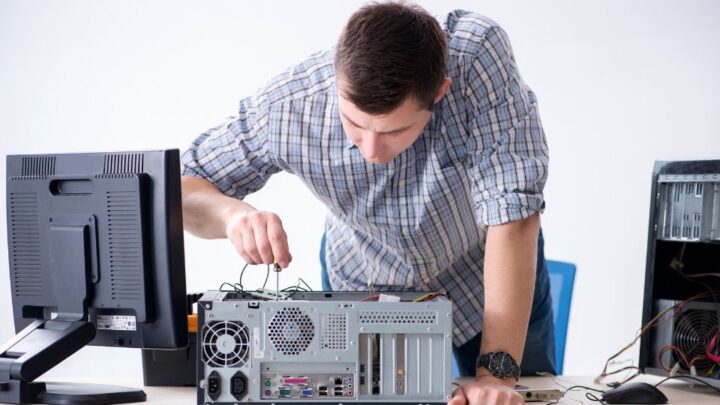
Computer repair is generally appropriate when a problem can be traced to a particular computer and the objective is to restore that device to normal operation.
Depending on the provider, this may include:
- Diagnosing hardware failures
- Repairing or replacing faulty components
- Resolving operating system problems
- Addressing device-specific software faults
- Investigating poor computer performance
- Assessing whether a computer should be repaired
For example, if a laptop develops a hardware fault while your Wi-Fi, monitors, printer, and other devices continue working normally, the problem is more likely to be isolated to the computer.
Service scope varies between repair businesses, and some provide broader technical support. The useful distinction is whether the problem is contained within the computer or involves the environment around it.
What Does IT Support Cover Beyond A Single Computer?
IT support becomes more relevant when a problem involves several technologies, cannot be isolated easily, or requires configuration rather than physical repair.
A home office relies on multiple systems working together. The computer may depend on the internet connection, Wi-Fi, software, monitors, dock, printer, and other equipment to provide a reliable working environment.
Broader IT support can include:
- Configuring computers, software, and connected devices
- Investigating connectivity and reliability problems
- Resolving compatibility issues
- Integrating computers with monitors, docks, printers, and peripherals
- Identifying recurring technical problems
- Supporting technology changes and upgrades
Home networking, Wi-Fi optimisation, equipment planning, and complete home office setup are deeper topics in their own right. Here, they illustrate the difference in scope: IT support can investigate the environment around the computer, not only the computer itself.
IT Support Vs Computer Repair: The Practical Differences
When comparing IT support vs computer repair, focus on the problem rather than assuming one service category is always more appropriate.
| Area | Computer Repair | IT Support |
|---|---|---|
| Typical scope | Individual computer or device | Wider technology environment |
| Primary focus | Fault diagnosis and repair | Configuration, integration, troubleshooting, and support |
| Hardware problems | Often a core focus | May determine whether repair, replacement, or configuration is appropriate |
| Connectivity | May investigate issues affecting the device | Can consider the network, Wi-Fi, devices, and configuration together |
| Compatibility | Usually considered around the repaired device | Can assess how multiple technologies work together |
| Recurring issues | Appropriate when caused by a device fault | Useful when the cause may sit elsewhere in the setup |
| Typical outcome | Restore the individual device | Improve reliable operation across the working environment |
There is overlap. A computer repair provider may offer wider IT services, while an IT support provider may identify hardware faults that require repair.
The practical distinction is scope and diagnosis. An isolated computer fault may call for repair. Problems involving multiple technologies, recurring failures, connectivity, or an uncertain cause may require broader IT support.
When Computer Repair May Be The Right Choice
Computer repair can be the most direct option when there is strong evidence that one device is responsible.
Typical situations include:
- A computer that no longer starts or operates correctly
- A suspected failed internal component
- One computer experiencing faults while other devices work normally
- A computer requiring assessment for repair or component replacement
- A device-specific operating system or software problem
Consider a remote worker whose laptop develops a hardware fault while their Wi-Fi remains stable and other equipment works normally. Investigating the laptop itself is a logical starting point.
Broader support becomes more relevant when the evidence is less clear.

When The Problem May Require Broader IT Support
Some problems appear on a computer but originate elsewhere in the working environment. Fixing the computer alone may therefore leave the underlying issue unresolved.
Common examples include:
- Unreliable Wi-Fi or internet: Video calls drop, cloud applications disconnect, or performance varies around the workspace.
- Devices that do not work together consistently: A laptop, dock, monitors, printer, or peripherals work individually but cause problems when combined.
- Recurring technical issues: The same problem returns after previous fixes or temporary workarounds.
- Problems after adding equipment: New hardware or software introduces compatibility or configuration issues.
- Home office moves or upgrades: Several devices and connections need to be planned and configured together.
- Unexplained productivity problems: Technology regularly interrupts work without an obvious failed component.
In these situations, the priority is identifying the actual source before deciding what needs to be repaired, replaced, or reconfigured.
Why A Computer Problem Is Not Always Caused By The Computer
Home office technology works through dependencies, so the place where a problem appears is not always where it originates.
A video call freezing on a laptop could result from Wi-Fi rather than the laptop itself. An intermittently disconnecting monitor could involve the computer, dock, cable, configuration, or compatibility between components.
When the cause is unclear, consider:
- Connectivity: Does the issue change with network conditions or affect other devices?
- Compatibility: Are the connected devices designed to work together appropriately?
- Configuration: Could software, operating system, device, or peripheral settings be contributing?
- Integration: Does the issue appear only when particular equipment is connected?
- Recent changes: Did it begin after installing software, moving the workspace, or replacing equipment?
- Pattern: Is the issue isolated or recurring across different situations?
This wider diagnosis helps avoid repairing or replacing the most obvious component when it is not actually responsible.
A planning-first approach considers how the technologies interact before determining the solution.
How To Decide Which Type Of Help You Need
You do not need to diagnose the technical cause yourself. Instead, consider the scope and pattern of the problem.
Ask:
- Is the problem isolated to one computer? If everything around it works normally, repair may be appropriate.
- Is there clear evidence of a hardware fault? A failed component points more directly towards repair.
- Are several devices or systems affected? Problems spanning computers, peripherals, software, or connectivity suggest a broader issue.
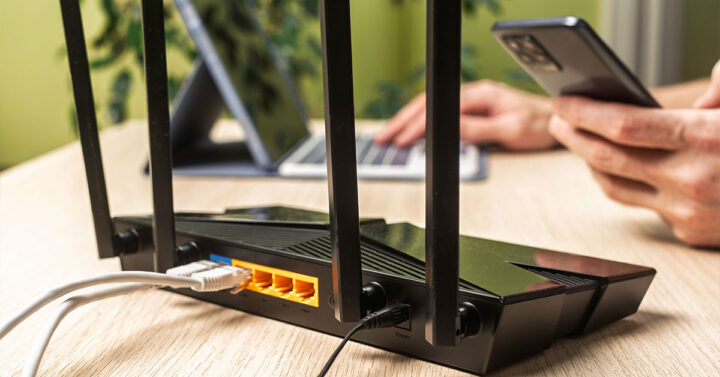
- Does the problem involve Wi-Fi or internet reliability? The computer may only be where the effects appear.
- Did the issue begin after changing equipment or software? Compatibility or configuration may need investigation.
- Has the problem returned after previous fixes? Repeated symptoms can indicate an unresolved underlying cause.
- Are you fixing one device or trying to make the whole workspace reliable? This is often the clearest distinction between repair and wider support.
If you cannot tell whether the fault sits with the computer, network, software, peripheral, or configuration, broader diagnosis may be more useful than assuming the computer needs repair.
Where A Home Office IT Specialist Fits
A home office is a working technology environment where computers, connectivity, software, and peripherals need to operate reliably together.
A home office IT specialist considers this wider context. Support can extend across connectivity, compatibility, setup, configuration, troubleshooting, and ongoing technical requirements rather than treating every problem as an isolated device fault.
For problems already extending beyond one computer, Home Office IT Support is the relevant service pathway.
Choosing between a home-office specialist and a broader IT provider is a separate decision. Home Office IT Specialist vs General IT Support addresses that comparison. The distinction keeps two questions separate: what type of problem do you have, and what type of provider should handle it?
Frequently Asked Questions
The boundaries between repair and support are not absolute. These questions address common areas of overlap.
Is IT Support The Same As Computer Repair?
No. Computer repair generally focuses on faults affecting an individual computer. IT support can extend to software, connectivity, configuration, peripherals, compatibility, and the wider technology environment.
Some providers cover both areas, so their actual service scope matters more than the label alone.
Can IT Support Help With Hardware Problems?
Potentially. A hardware issue might require repair, replacement, configuration, or investigation into whether the component is actually causing the symptoms.
If a device clearly requires physical repair, a computer repair service may be appropriate. If the issue involves compatibility or the wider setup, broader IT support may also be relevant.
Should I Use Computer Repair For Wi-Fi Problems?
A Wi-Fi problem should usually be considered a connectivity issue rather than assuming the computer requires repair.
If several devices experience weak coverage or unstable connections, the wider network environment is likely to require investigation. If only one computer is affected, that device may also need assessment.
What If I Do Not Know What Is Causing The Problem?
You do not need to know before seeking assistance.
Diagnosis can establish whether the problem originates from the computer, network, software, peripheral equipment, configuration, or an interaction between them. Identifying the cause first can reduce unnecessary repairs, replacements, and repeated troubleshooting.
Get The Right Help For The Actual Problem
If your home office issue is recurring, interconnected, or difficult to isolate, Home Office IT Support can help identify the cause and the appropriate next step.